

Adding your company logo to Signority emails and signing pages is a simple yet effective way to reinforce your brand identity and build trust with recipients. Instead of seeing Signority’s default branding, your customers, partners, and employees will immediately recognize your organization when they receive notifications or open a signing page. This creates a consistent, professional experience and helps recipients quickly verify that a request is legitimate.
Add Your Company Logo
-
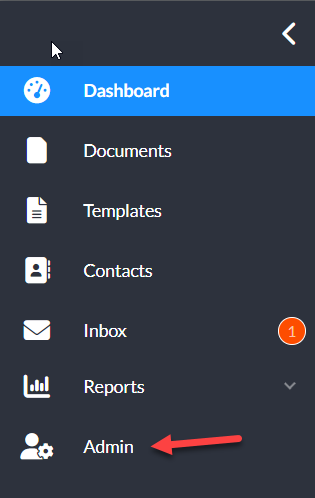
From the user dashboard, navigate to the Admin Console by selecting Admin on the left sidebar menu.
-
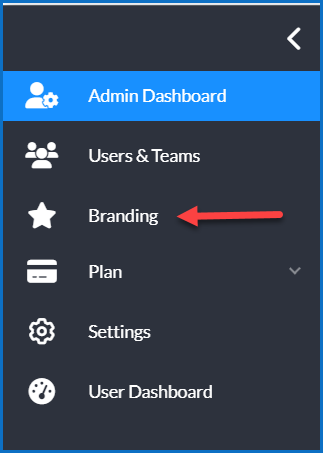
In the Admin view, select Branding on the revised side menu.
-
In the Branding pop-up window, select the checkbox next to Use Company Branding.
-
You can then uploaded a logo for the email header and/or signing page. This will replace the Signority logo for recipients on the respective pages.
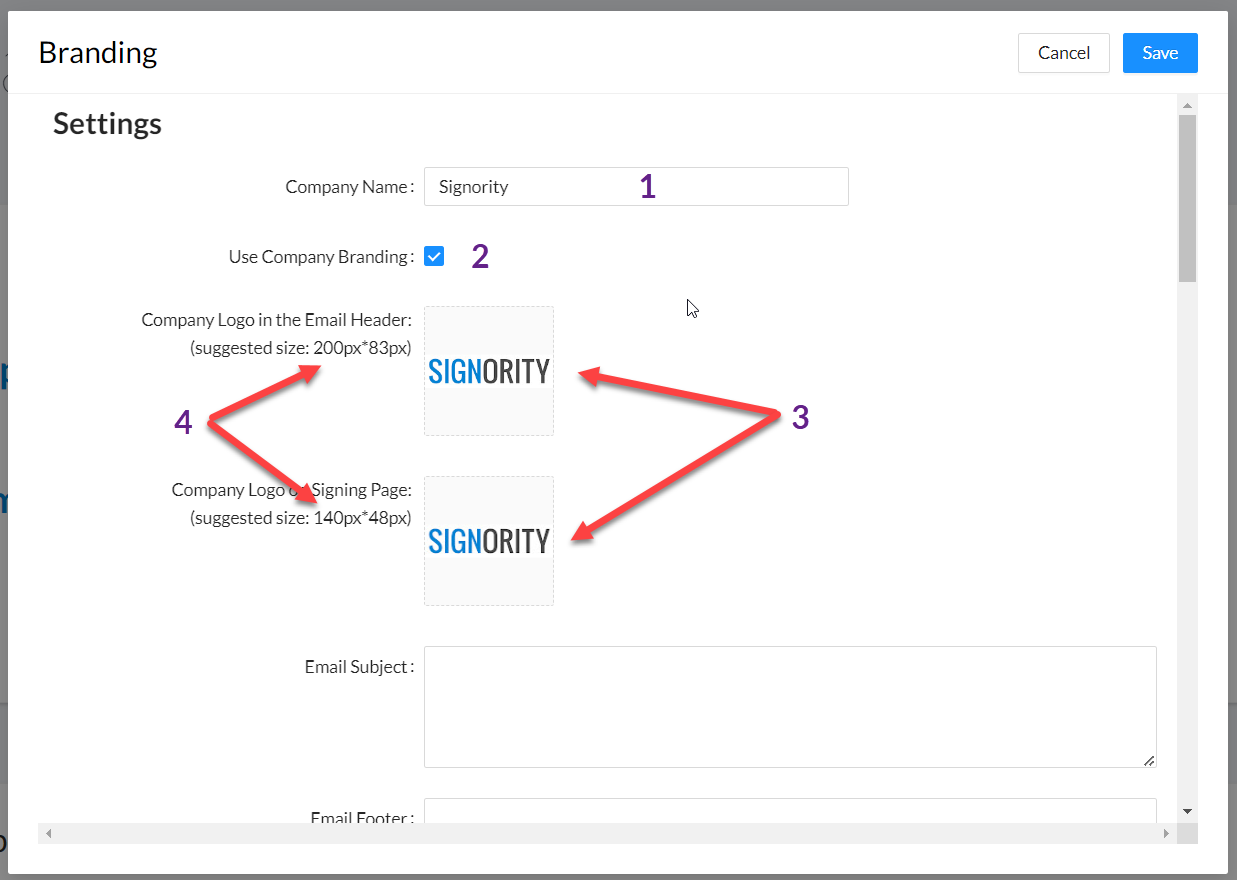
Tip: Use a white or light-colored version of your logo for the signing page to ensure it remains clearly visible for recipients during the signing process.
-
Click Save in the top right of the pop-up to save your changes.