

Billing administrators may need to copy others on invoices to ensure the right stakeholders have visibility.
You can configure your account to send invoices and overage notifications to up to 20 additional email addresses.
Follow these steps to set it up:
-
Click on Profile icon located in the top-right corner and then select Profile Settings from the dropdown menu.
-
Navigate to the Account tab.
-
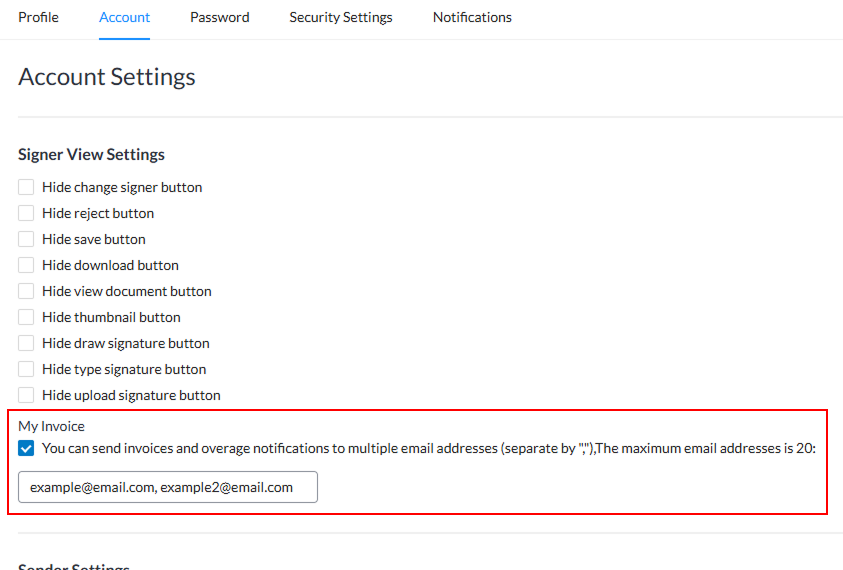
Under My Invoice, check the box to enable additional recipients.
-
Enter up to 20 email addresses, separating each one with a comma.
-
Click Save.
Once saved, all invoices and overage notifications will be automatically sent to the listed email addresses.
This ensures the right people receive billing information without requiring manual forwarding, saving time and improving transparency across your team.