

Billing admins, super admins, and team admins can modify the default time zone for team members on the admin console in either team settings for a specific team or in global settings for their entire organization under notifications.
-
From the Signority Dashboard, select your profile icon in the top right of the main header, then click Profile Settings.
-
In the Profile Settings tab, under General, locate the Default Time Zone setting.
-
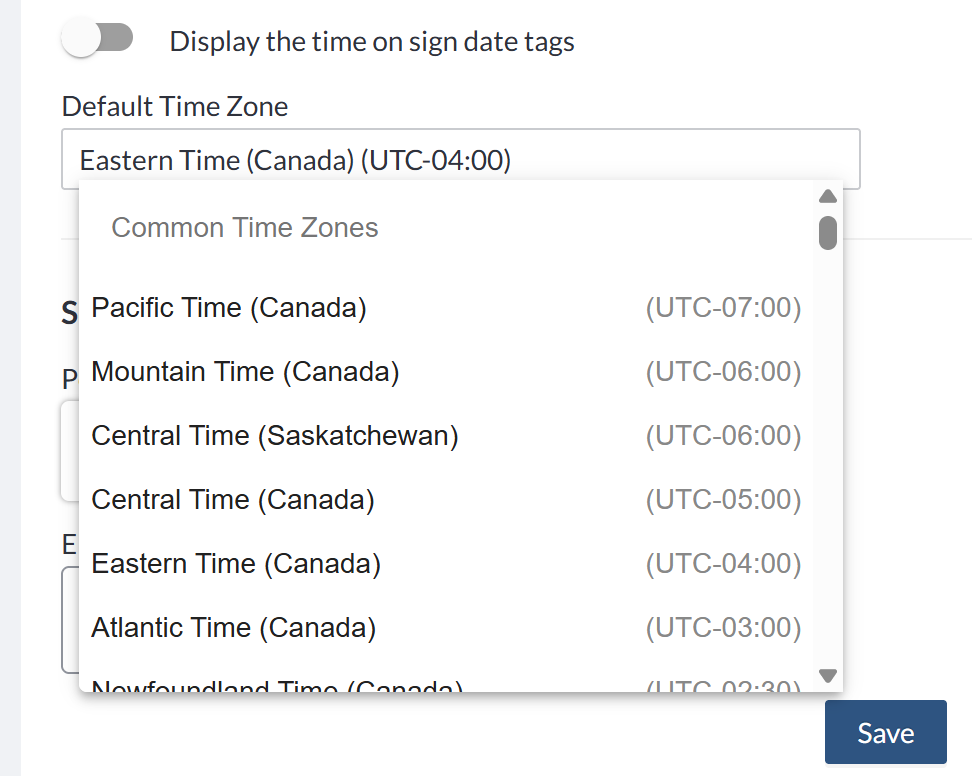
Click in the field and search for your time zone. You can search by time zone name, country, or city (see Finding your time zone below).
Note: The Default Time Zone field filters as you type, so it only shows options that match the text already in the field. If you can't find the option you're looking for, delete all the text in the field to see the full list again, then start a new search.
-
Select your time zone from the list.
-
Click Save.
Finding your time zone
The time zone list includes two kinds of options:
-
Common time zones for North America and Europe, such as Eastern Time (Canada).
-
City-based time zones, organized by continent, covering major cities around the world.
If you don't see a common time zone that fits, search for your country to see every city we offer there. Then pick your city, or the closest major city that's in the same time zone as you.
For example, for the united states, searching United States will list Anchorage, Arizona, Chicago, Denver, Hawaii - Honolulu, Los Angeles and New York giving you more accurate selections on top of the common time zones Pacific (US), Mountain (US), Central (US) and Eastern (US).
Note: The Default Time Zone field filters as you type, so it only shows options that match the text already in the field. If you can't find the option you're looking for, delete all the text in the field to see the full list again, then start a new search.