CUSTOM PLAN FEATURE
Delegate signers may sign documents on your behalf. This tutorial will guide you through adding a delegate signer, editing a delegate signers settings, and removing a delegate signer.
Note: To add a delegate to sign on your behalf, an account administrator must enable the delegation of your account. See, Enable Delegate Signers For Team for more information.
Set up a Delegate to Sign on Your Behalf
Delegate signers allow you to anyone within your organizations account (not just your own subteam) to sign document sent to you on your behalf for a set timeframe.
Note: Delegates will not receive notifications for documents where the sender has added ID Verification as a requirement for signature. (one-time passcode sent by email or SMS)
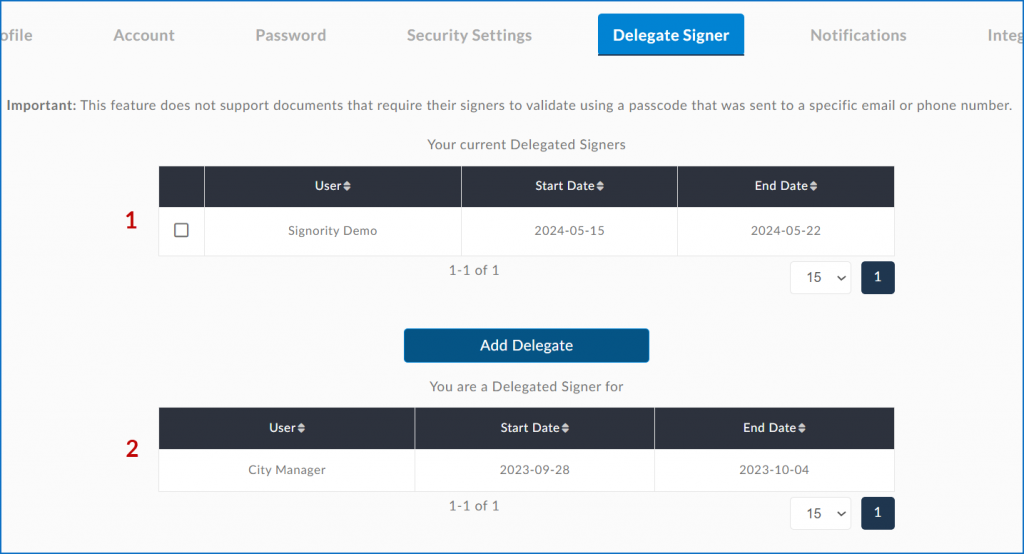
Once delegate signing is enabled by an Admin, users will find a new section in their Profile Settings titled “Delegate Signer”. This is where you can add, edit, and remove delegate signers. Here you can view:
-
Who you have designated as your delegate signer
-
Who has designated you as one of their delegate signers
Adding a Delegate Signer
-
Select “Add Delegate”
-
On the pop-up that appears, set the start and end dates that they may sign for you (1), then check the box beside the user(s) you wish to assign as a Delegate (2).
-
Once you are done, you can click “Add” (3).
The user will be sent an email notifying them that they have been assigned as a delegated signer like the one below containing their name, email, and the start and end dates.
Editing a Delegate Signer
-
Check the box next to the name of the delegate you wish to edit.
-
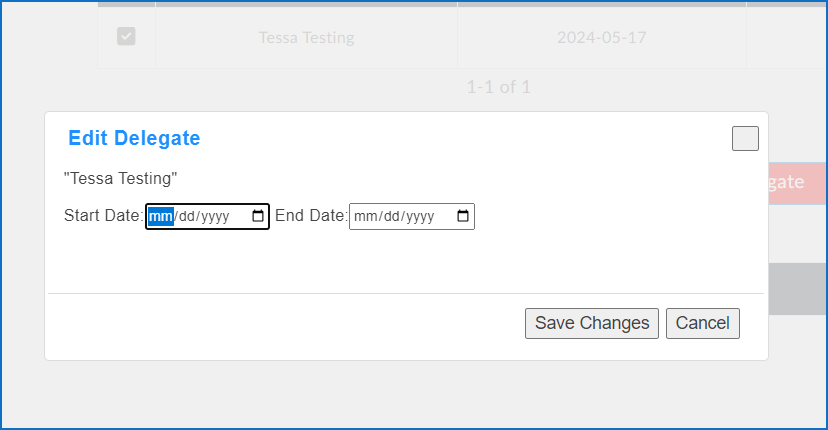
Select the “Edit Delegate” button that appears.
-
In the pop up box choose a new Start Date and End Date, then select Save Changes.
Removing a Delegate Signer
-
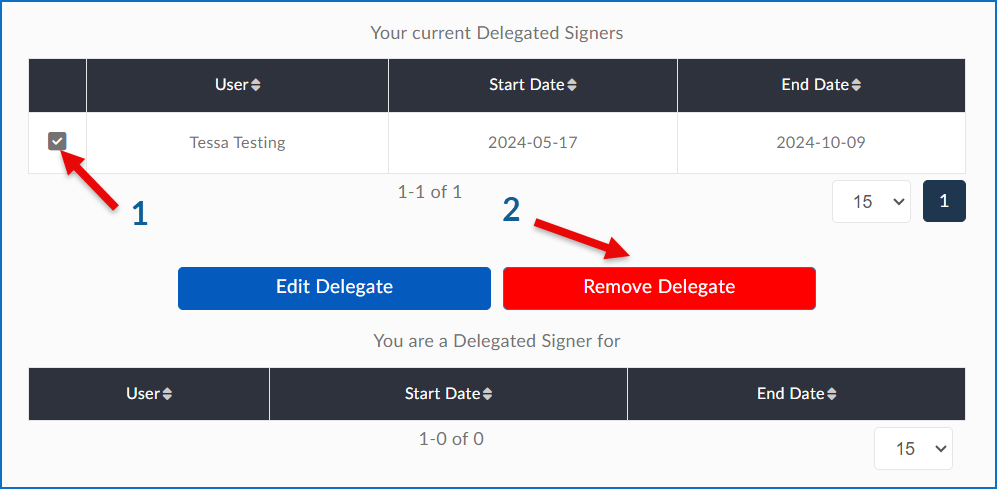
Select the checkbox next to the name of the delegate you wish to remove
-
Click on the “Remove Delegate” button that appears.