

Note: Encrypted Stamps can only be applied by the authorized individual. The email address linked to the requested encrypted stamp will receive an invitation email when it is their turn to stamp the document.
-
Open the document for signature.
-
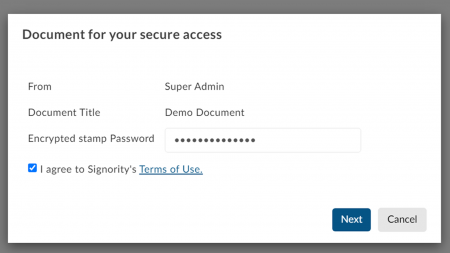
On the Document for your Secure Access pop-up, enter the password associated with the encrypted stamp.
-
Agree to the terms of use and click OK.
-
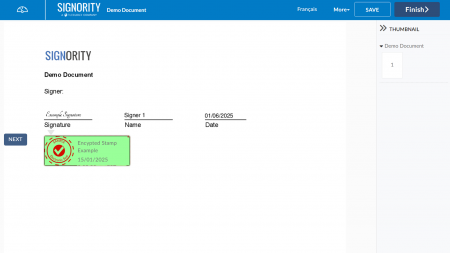
Review the document and when you are ready, click on the encrypted stamp tag to apply the stamp.
-
Click Finish.