

Signing or completing a document through a Template Link is slightly different from signing a document that has been sent directly to you.
Step 1: Access the Template Link
A Template Link is typically a public URL that can be accessed by anyone who has the link. You may receive this link by email or find it embedded on a website.
When you click the Template Link, you will be taken to a page where you must:
-
Enter your name
-
Enter your email address
-
Accept the Signority Terms of Use
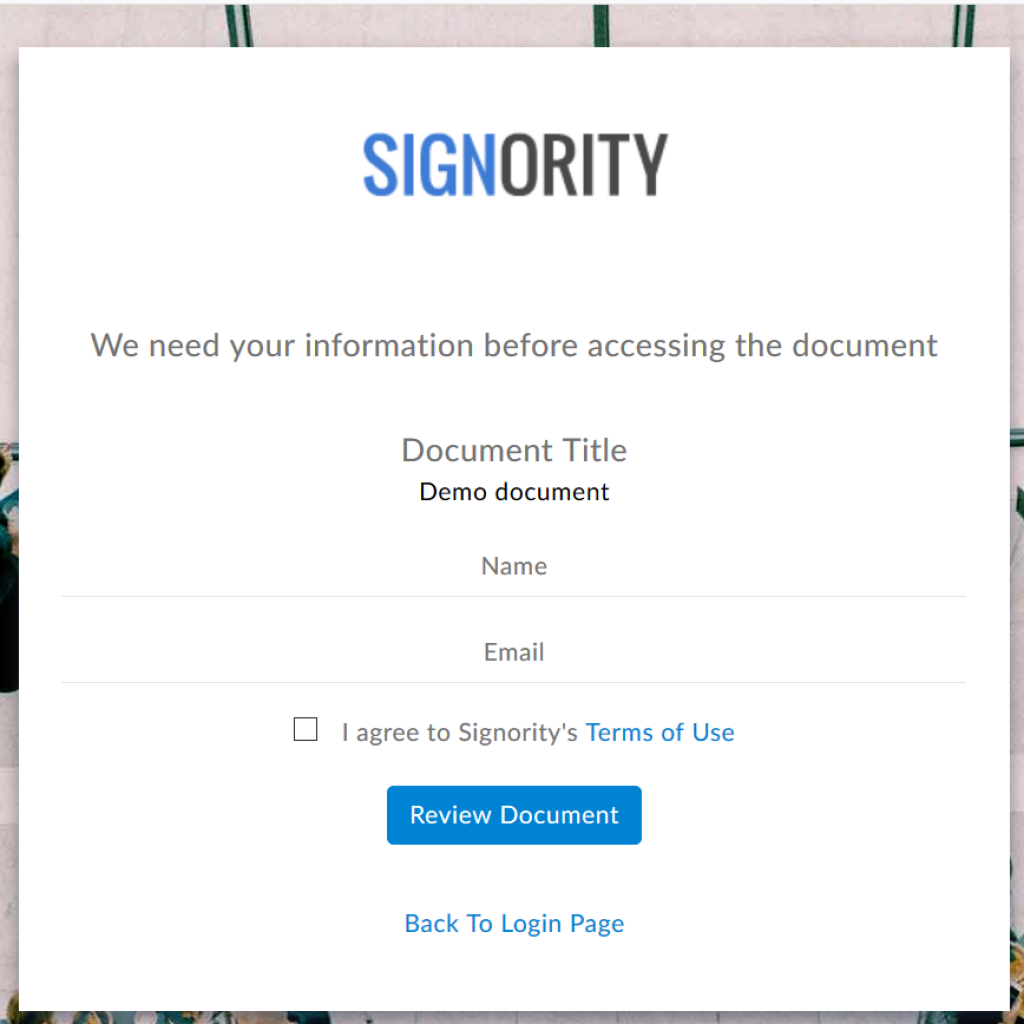
After completing the required fields, click Review Document.
Step 2: Review the Document
You will be directed to a page where you can review the document before signing it.
If you decide not to proceed, you can simply close the window or leave the page.
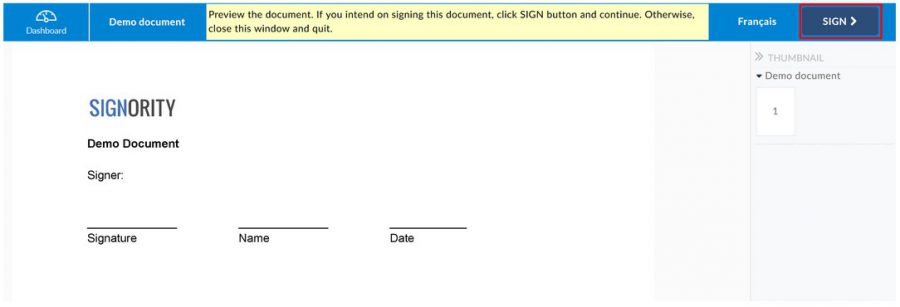
To continue with the signing process, click the Sign button located in the upper-right corner of the page.
Step 3: Begin Signing
After clicking Sign, two things will happen:
-
A confirmation email will be sent to you containing a link to your document. You can use this link to return to the document and complete it later if needed.
-
You will be redirected to the document where you can fill out the required fields and sign the form just as you would with any standard Signority document.
Once redirected, you can then finish signing the document as normal following the procedure described in the Sign Documents Online guide.