

Signority makes it easy to sign documents online with a simple and seamless process. When a document is sent to you for signing, you will receive an email invitation with a link to access and complete the document.
How to Sign a Document as a Signer
-
Go to your email and open the email invitation you received from Signority.
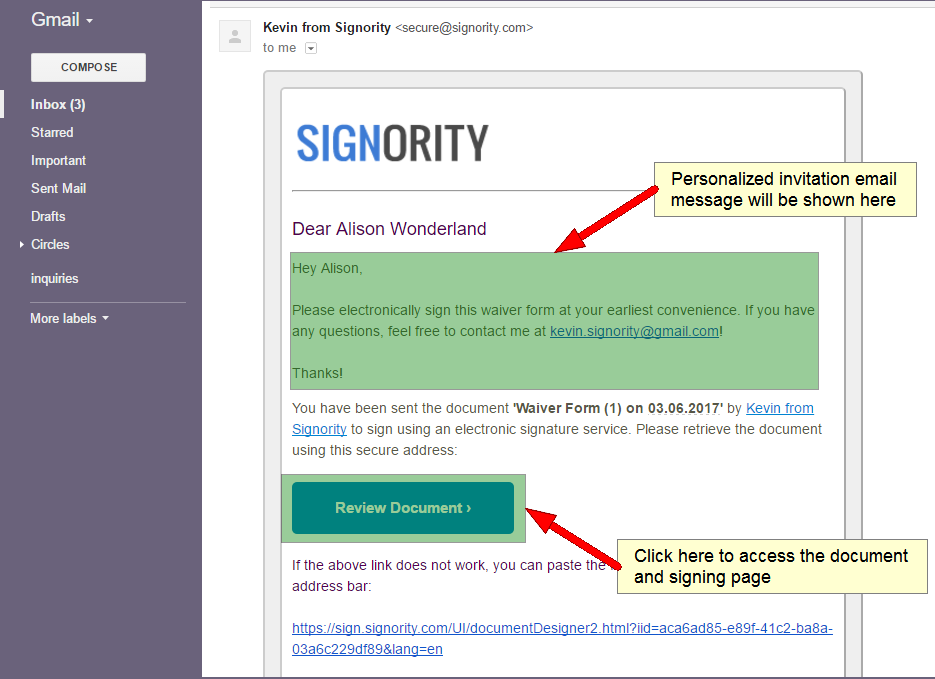
Note: If you have a Signority Account, you can also access documents sent to you through the Signority Inbox.
-
Click Review Document to access the signing page.
-
You will be redirected to Signority.
-
Read and Accept the Terms of Service to access the document.
-
If the Sender has set up authentication for you, you may be asked to authenticate yourself through a code sent via email and/or SMS.
-
Once the document opens, use the navigation buttons to move through the document
-
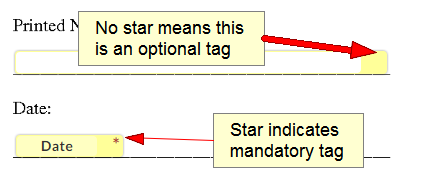
Fill in all required fields:
-
Fields marked with a red star (*) are mandatory
-
You must complete all required fields before submitting
-
-
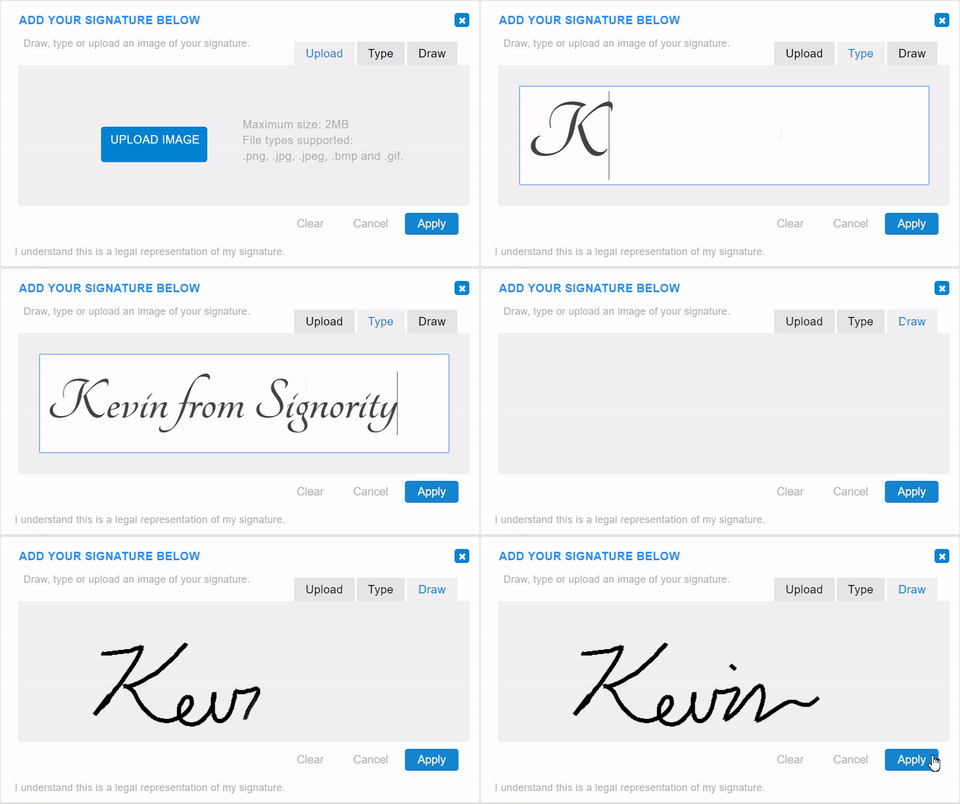
Continue through the document. When you get to the signature tag, you'll have a few options:
-
Draw your signature using a touch pad/screen or using a mouse
-
Type your signature with a keyboard
-
Upload a scanned copy or picture of your signature from your computer or phone
-
-
Once you’re finished filling in all of the information, review the information and “Submit” the document. And just like that, you can sign documents online with minimum effort and requires no scanning or emailing!
Once the document is finalized by all of the signers, you will be notified via email with an attached copy of the finalized document for safe keeping. Want to learn how to create electronic signature documents for others? Start collecting your own electronic signatures today!