

If the document you are signing requires a stamp but you do not see a stamp tag assigned to you, the sender may have enabled you to add and place your own stamp tag (see, Allow a Recipient to Add their Own Stamp or Stamp Tag.
To do so:
-
Open the document for signature.
-
Agree to the terms of use and click OK.
-
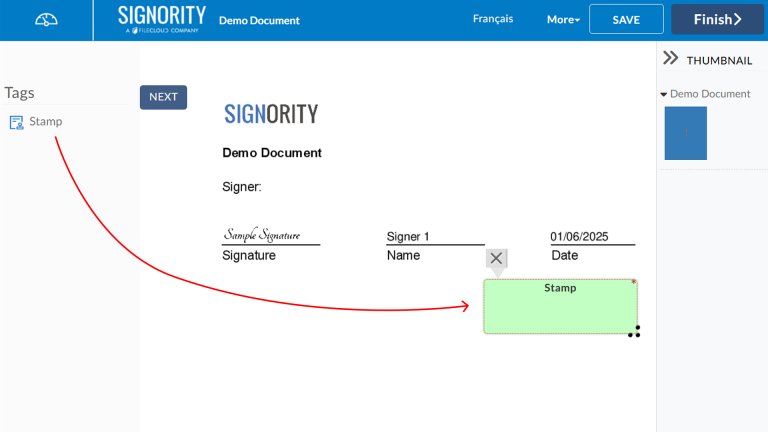
Drag and drop from the Stamp Tag to the right of the document to place the stamp.
-
Adjust the location and size of the stamp tag.
-
Click on the center of the stamp tag to select a predefined stamp or upload your own stamp if enabled.
-
Complete any other tags assigned to you.
-
Click Finish to complete the signing process.