

The default sizes are:
-
Text tag: 13px × 133px
-
Date tag: 13px × 53px
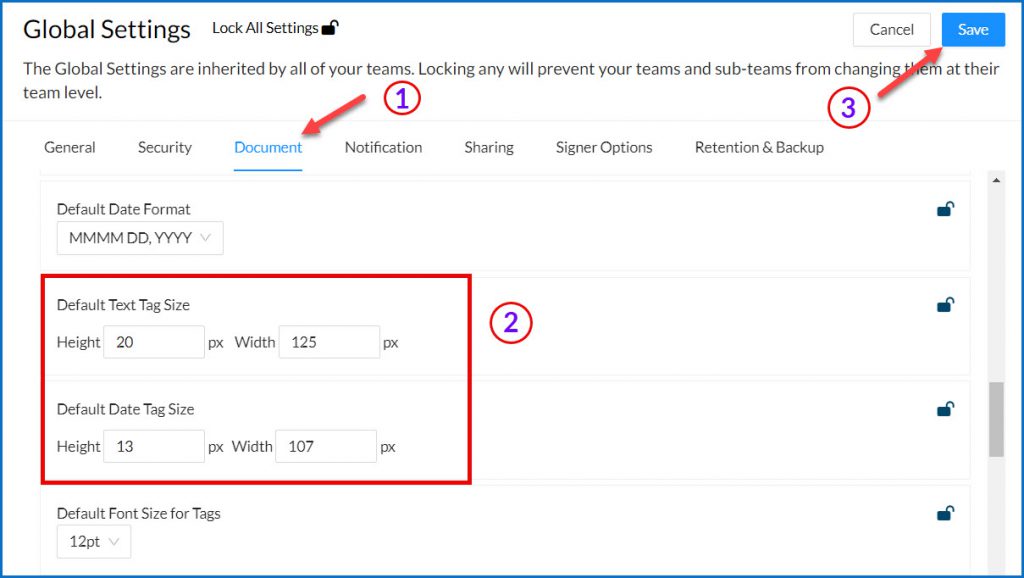
Billing and Super Admins can adjust these settings in Global Settings by following these steps:
-
From the user dashboard, navigate to the Admin Console by selecting Admin on the left sidebar menu.
-
From the left hand menu, select Settings > Global Settings
-
In the Global Settings pop-up window, select the "Documents" tab or scroll down to the documents setting section
-
Locate the settings for Default text tag size and Default date tag size.
-
Change the height and width of the tags as needed.
-
Click Save.