

By default, Signority sends a usage warning email when you have used 80% of your document package.
For example:
-
Starter Plan includes 120 documents per year
-
You will receive a warning after using 96 documents (80%)
-
At that point, you have 24 documents remaining
Billing Admins can customize this warning to be triggered by a custom value in either a different percentage or a specific number of documents remain in your account.
Customize Your Usage Warning
Follow these steps to set a custom warning threshold:
-
From the user dashboard, clicking Admin at the bottom of your left hand sidebar menu.
-
Select Settings > Global Settings in the updated Admin Console sidebar menu.
-
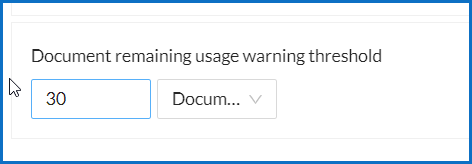
In the General Settings section (at the top of the window), locate the Documents remaining usage warning threshold setting.
-
You can use the dropdown to define if the warning value is set to a percentage or a specific number of documents remaining in your account.
-
Set the threshold. Example: Enter 30 to receive a notification when you have 30 documents left.
-
Click Save in the top-right corner of the Settings window to apply those changes.