Available with: All Team Plans Roles: Super Admins, Team Admins
-
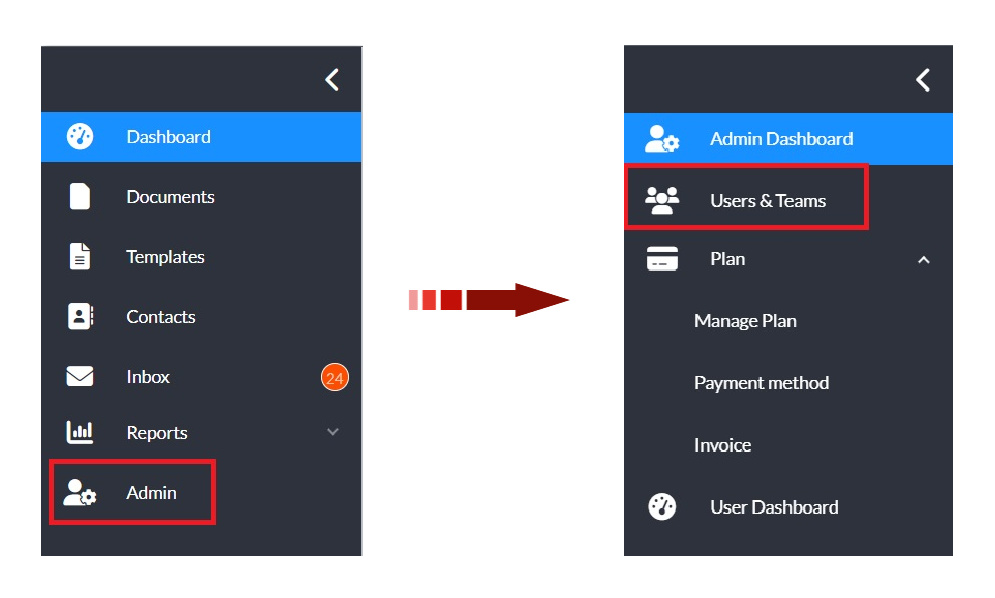
In the left navigation panel, click Admin to open the admin console.
-
Select Users & Teams in the updated navigation panel.
-
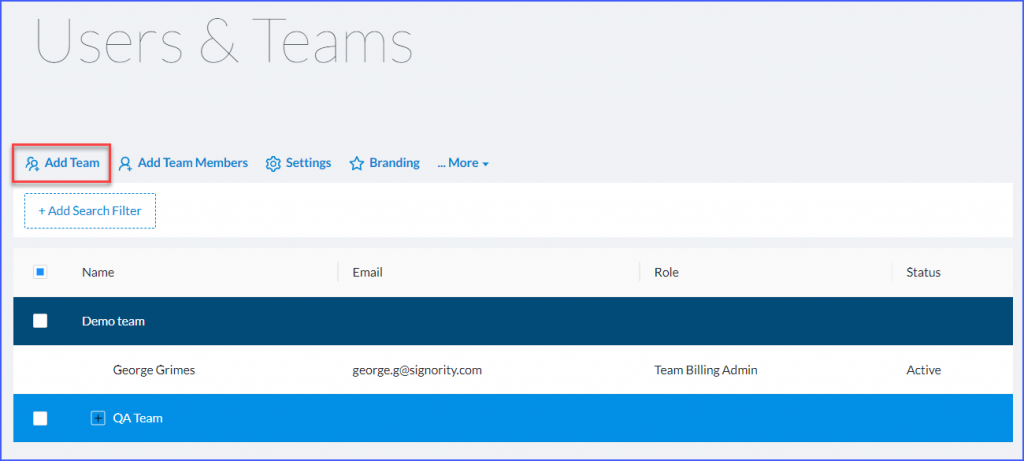
Select Add Team in the top left.
-
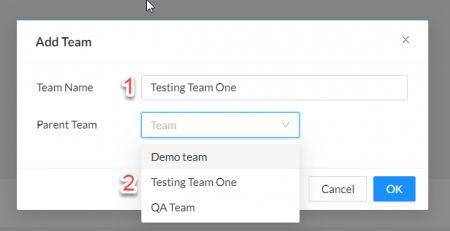
In the Add Team pop-up window, enter the Team Name and select a Parent Team from the existing list of teams using the drop down menu.
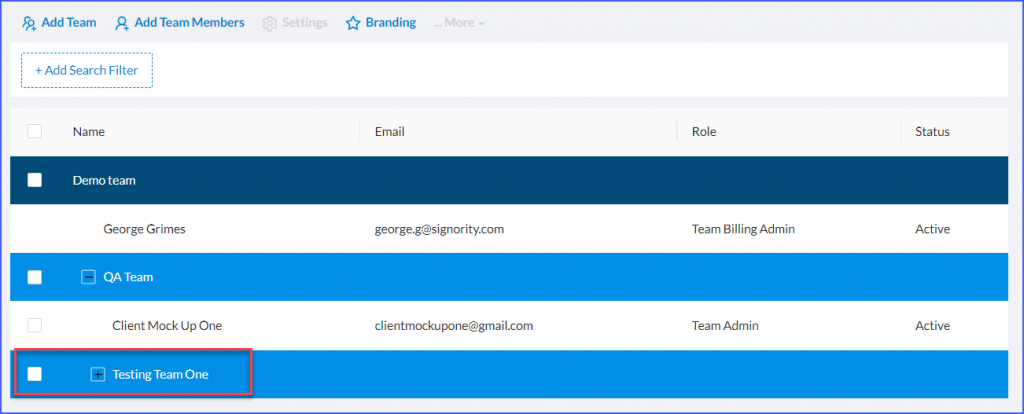
Note: After adding the team, the page may refresh and collapse the teams list. Expand the parent team to view your new team. The new team will be indented under its parent team.