

You can update a user’s information in Signority at any time to ensure their account details remain accurate and up to date.
-
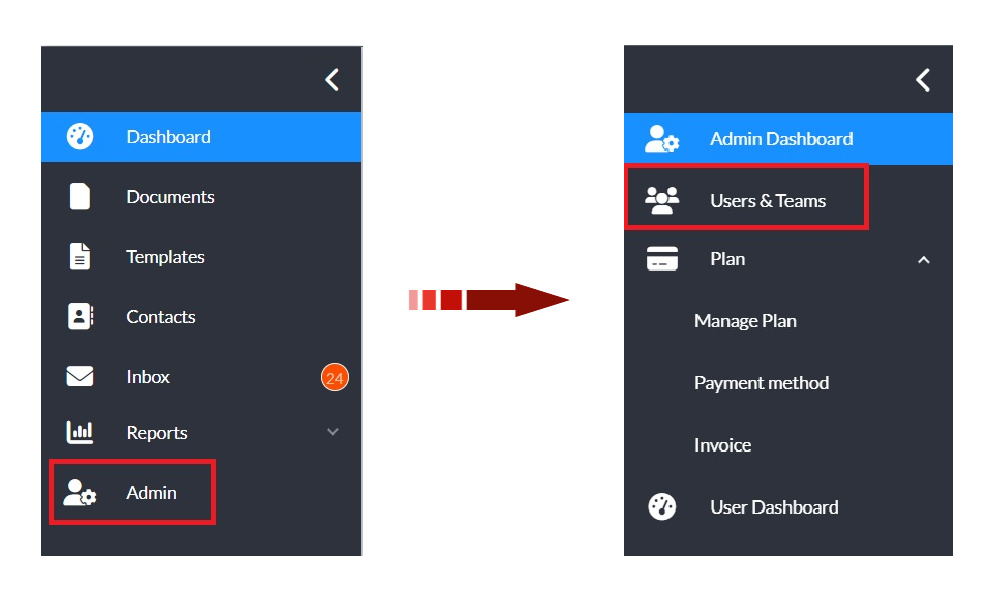
In the left navigation panel, click Admin to open the admin console.
-
Select Users & Teams in the updated navigation panel.
-
Locate the user that you want to edit.
Want to narrow down your search? Learn how to filter users.
-
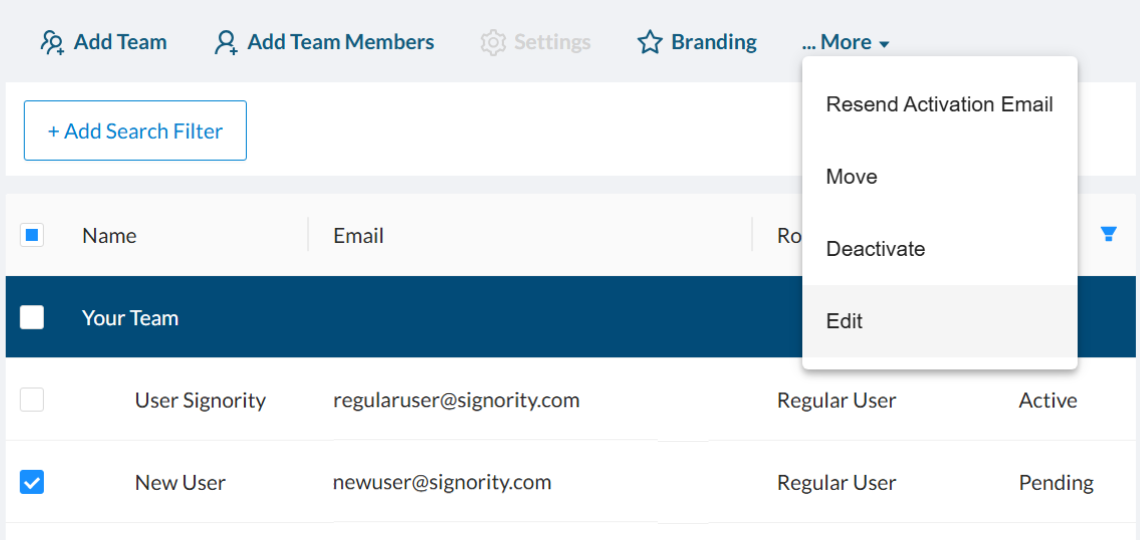
Select the the checkbox next to the user you would like to update.
-
In the action menu above the Search Filter’s, click More > Edit.
-
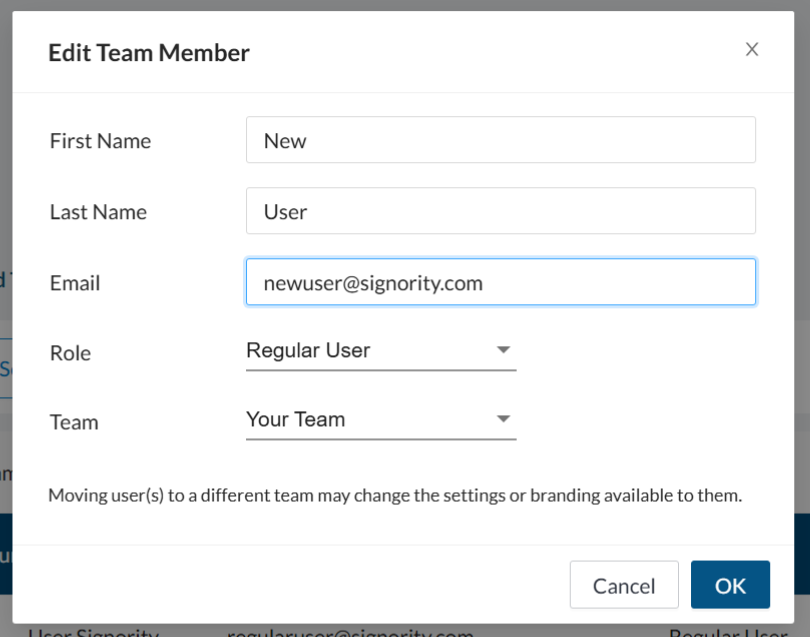
In the edit team member pop-up window, make the required changes to the users information.
-
Click OK to save the changes.