

You can transfer one or more documents from your account to another user in Signority. This process is also referred to as “pushing a document” to another account and allows you to move the documents out of your account and reassign the documents ownership to another user in your team.
Note: If you need to transfer all documents from one user account to another, see: Transfer All Documents from One User to Another.
Important: If you transfer a document that is still In Progress, ownership is transferred to the recipient.
Once the document is completed, the recipient will receive the finalized document—not the original sender.
Transfer a Single Document
To transfer a single document:
-
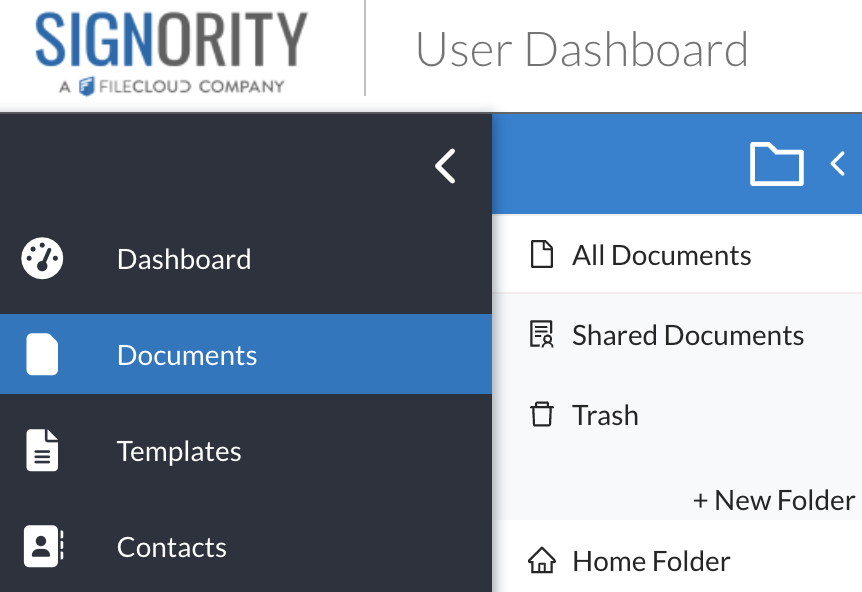
From the Dashboard, select Documents from the left navigation menu.
-
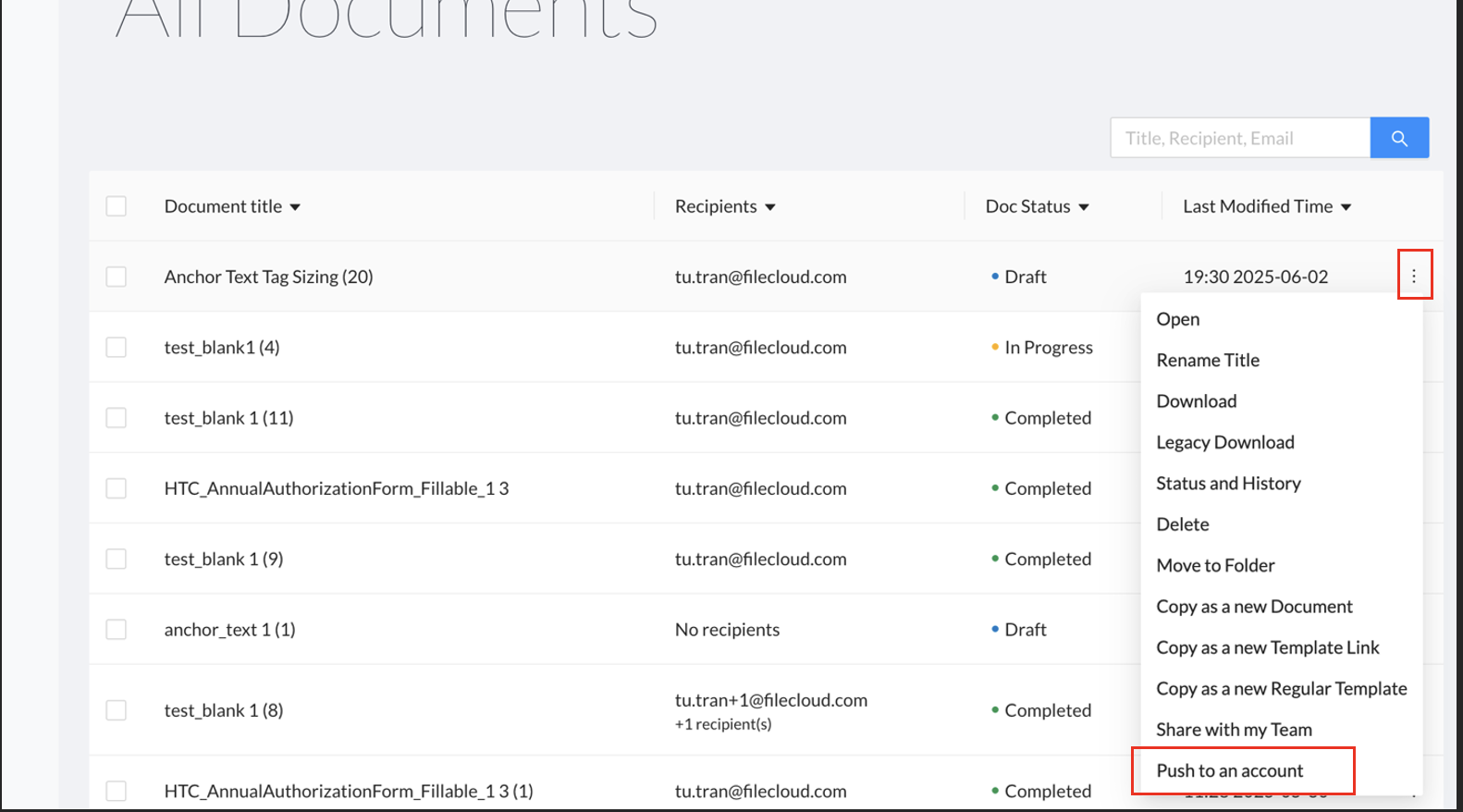
In your documents folder, find the document you wish to transfer.
-
Click the dropdown menu on the right side of the document and select Push to an Account.
-
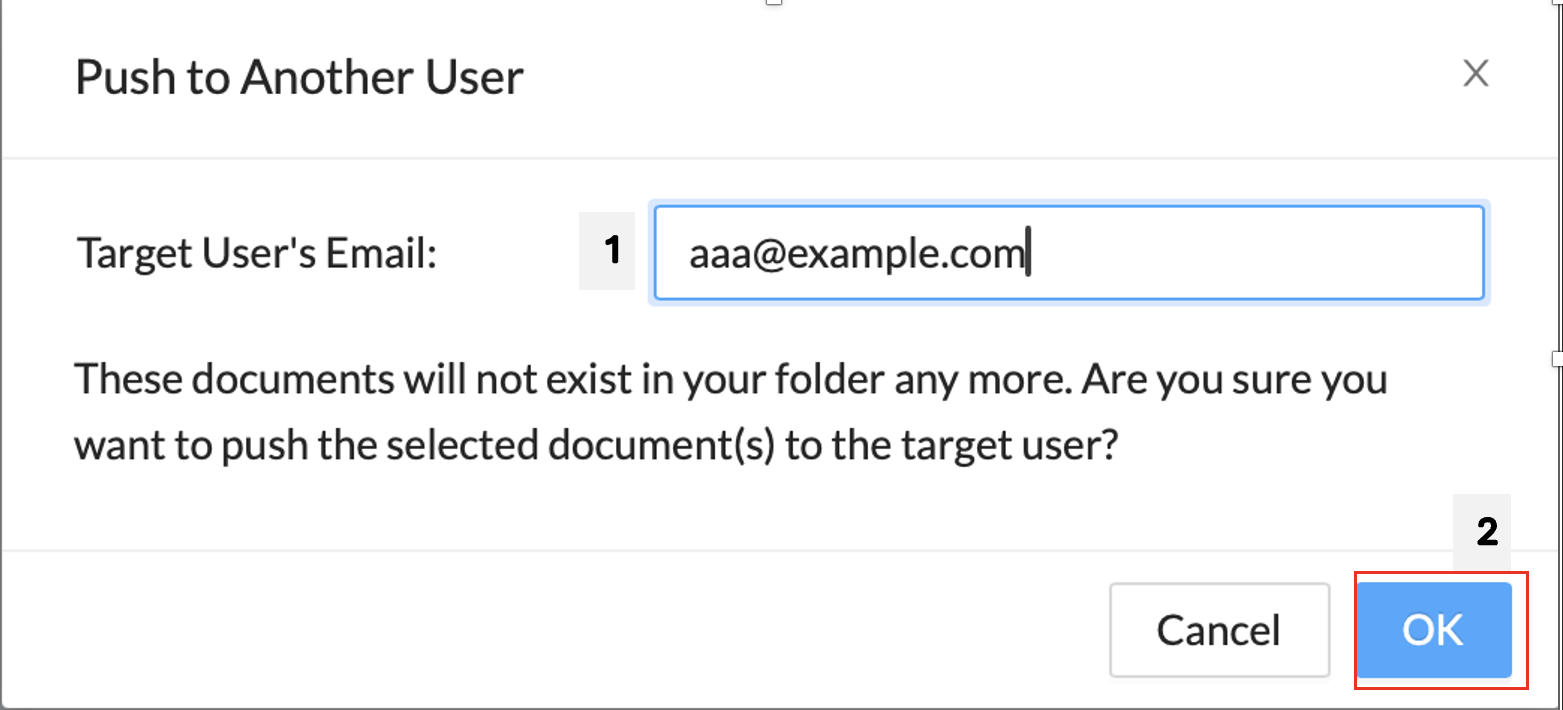
In the pop-up window, enter the email of the user whose account you want to push the document to.
-
Click OK.
The document will be transferred and removed from your document list.
Transfer Multiple Documents
To transfer multiple documents at once:
-
From the Dashboard, select Documents from the left navigation menu.
-
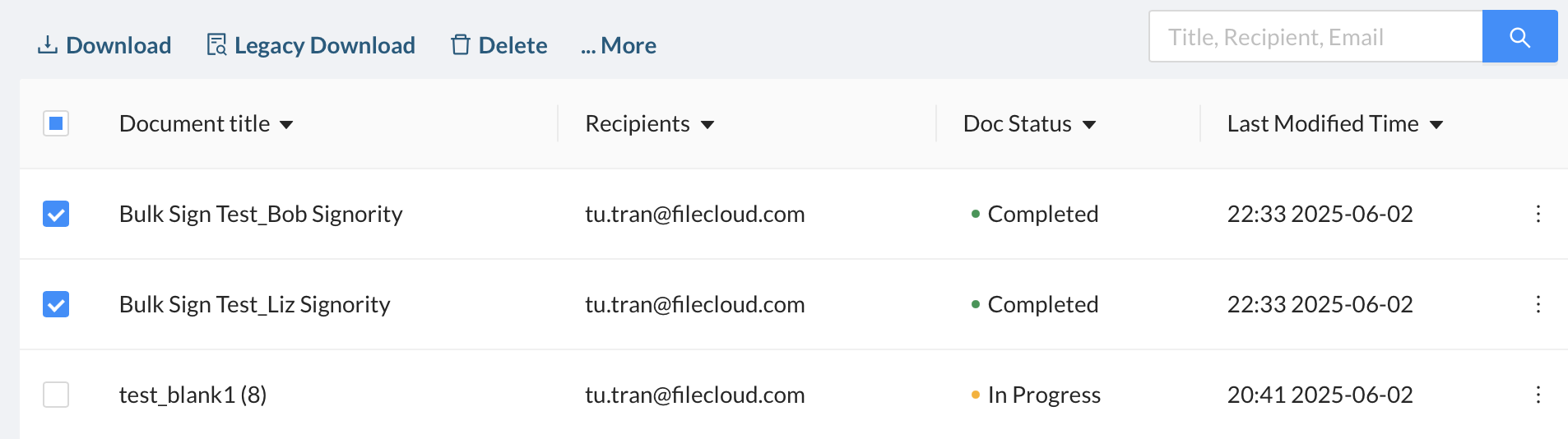
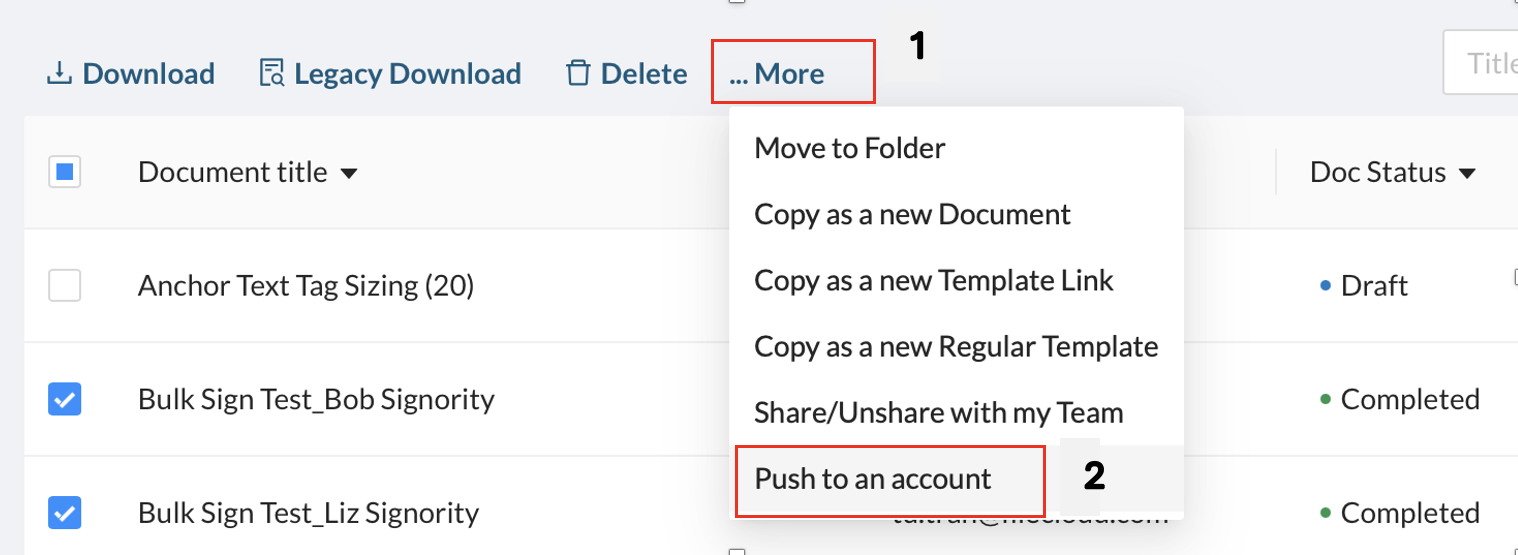
Select the checkbox beside each document you want to transfer.
-
In the action bar above the document list, select More > Push to an Account.
-
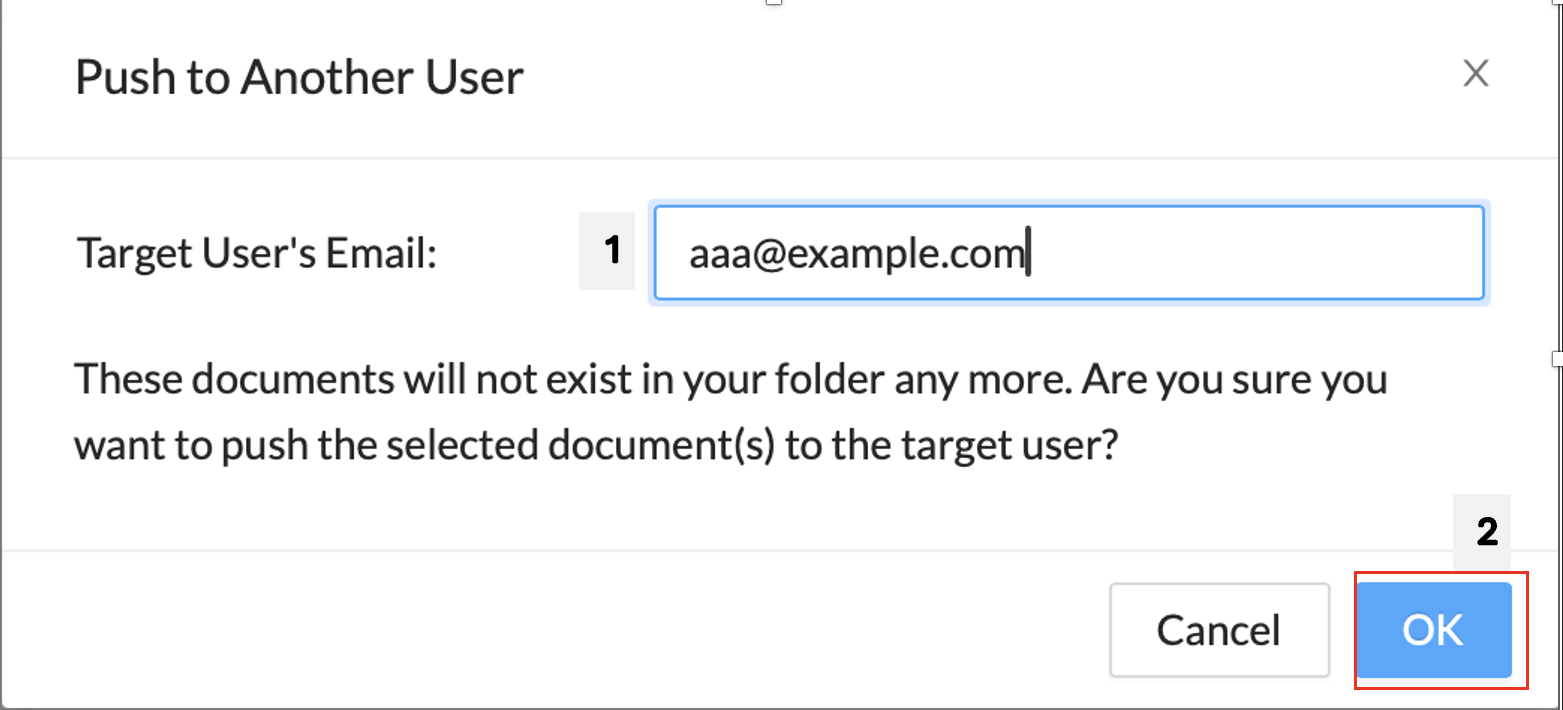
In the pop-up window, enter the email of the user whose account you want to push the document to.
-
Click OK.
The window will then close, and you will see that your documents are no longer in your documents folder.