-
Begin by setting up your document as usual, adding files, recipients, and messages.
-
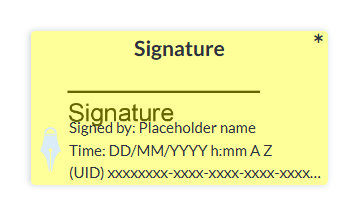
Once you are on the document editor, place your Signature tag on to the document.
-
With the Signature tag selected, locate the Regulatory Information option in the tag settings panel on the right of the editor and make sure it is checked.
Note: Adding regulatory information may automatically change the size of your signature/inital tag to fit the additional content. After enabling regulatory information on the signature/inital tag, you may wish to move or change the signature tag's size to fit your document's layout more precisely.
Your Signature Tag should now show the placeholders for the Signers name, time and date, and the document ID number.