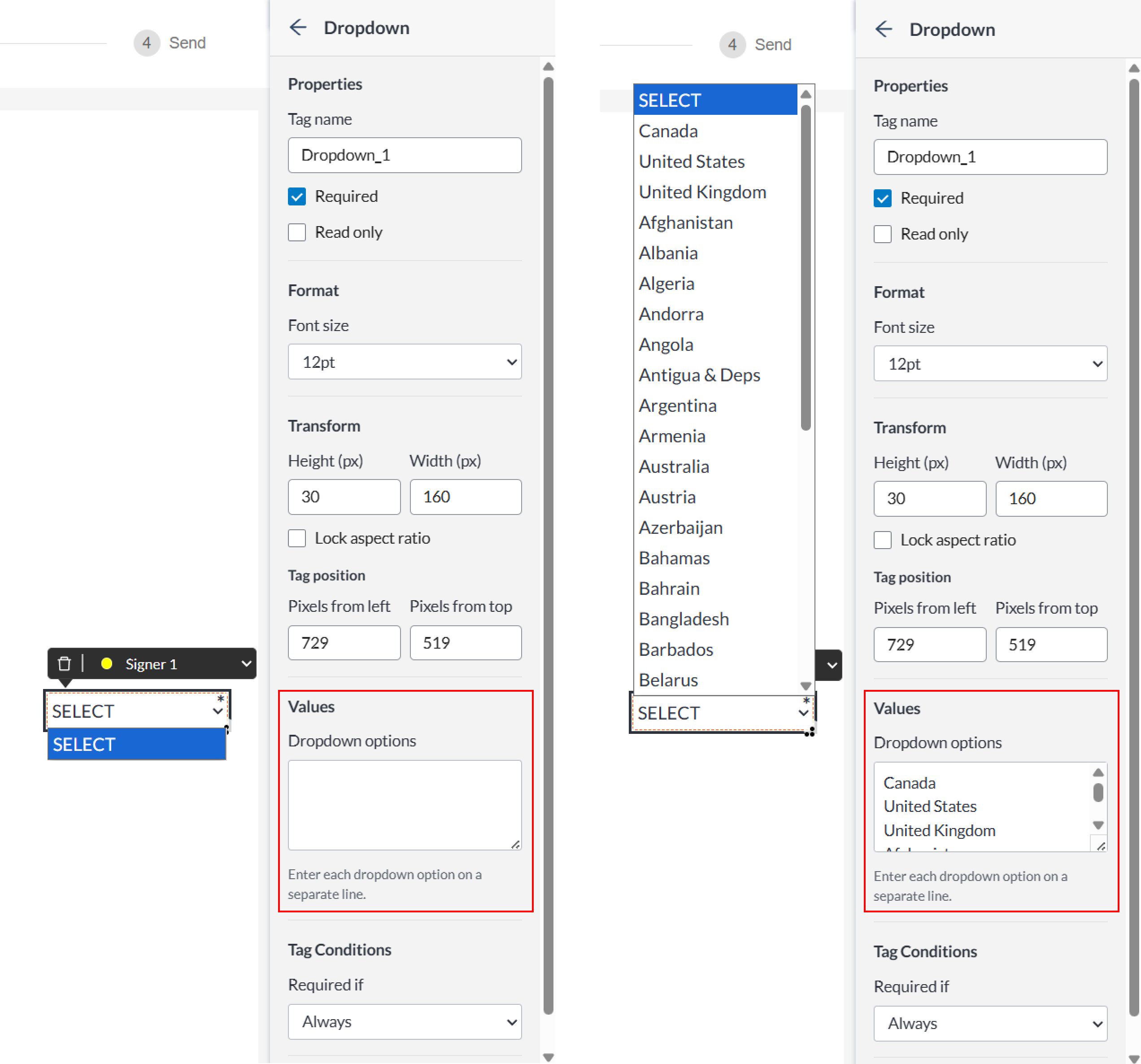
To set the options available in a dropdown tag:
-
Select the dropdown tag.
-
In the dropdown tag's settings panel, locate the Values section.
-
Enter each option in separate lines. Each line will become a selectable option for your signers.


To set the options available in a dropdown tag:
Select the dropdown tag.
In the dropdown tag's settings panel, locate the Values section.
Enter each option in separate lines. Each line will become a selectable option for your signers.