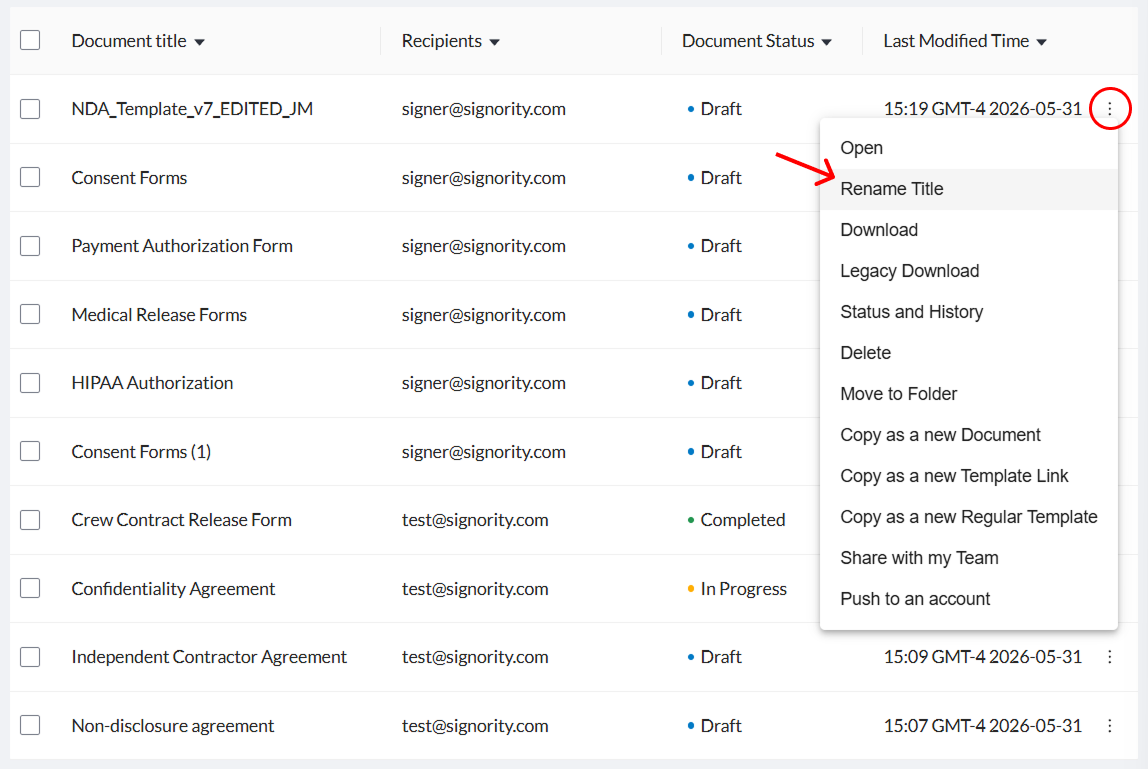
There are two ways to rename a document package or a template:
-
From the document editor (recommended)
-
From the Documents page (The limitation with this is that it wont automatically change the invitation email if the document has already been sent out. Works fine for drafts or finalized documents.
Rename a Document in the Editor
-
On the Editor page, click Edit next to Settings in the left panel.
-
In the settings pop-up window, on the Title and Email tab under Properties, make the changes you would like to make to the title.
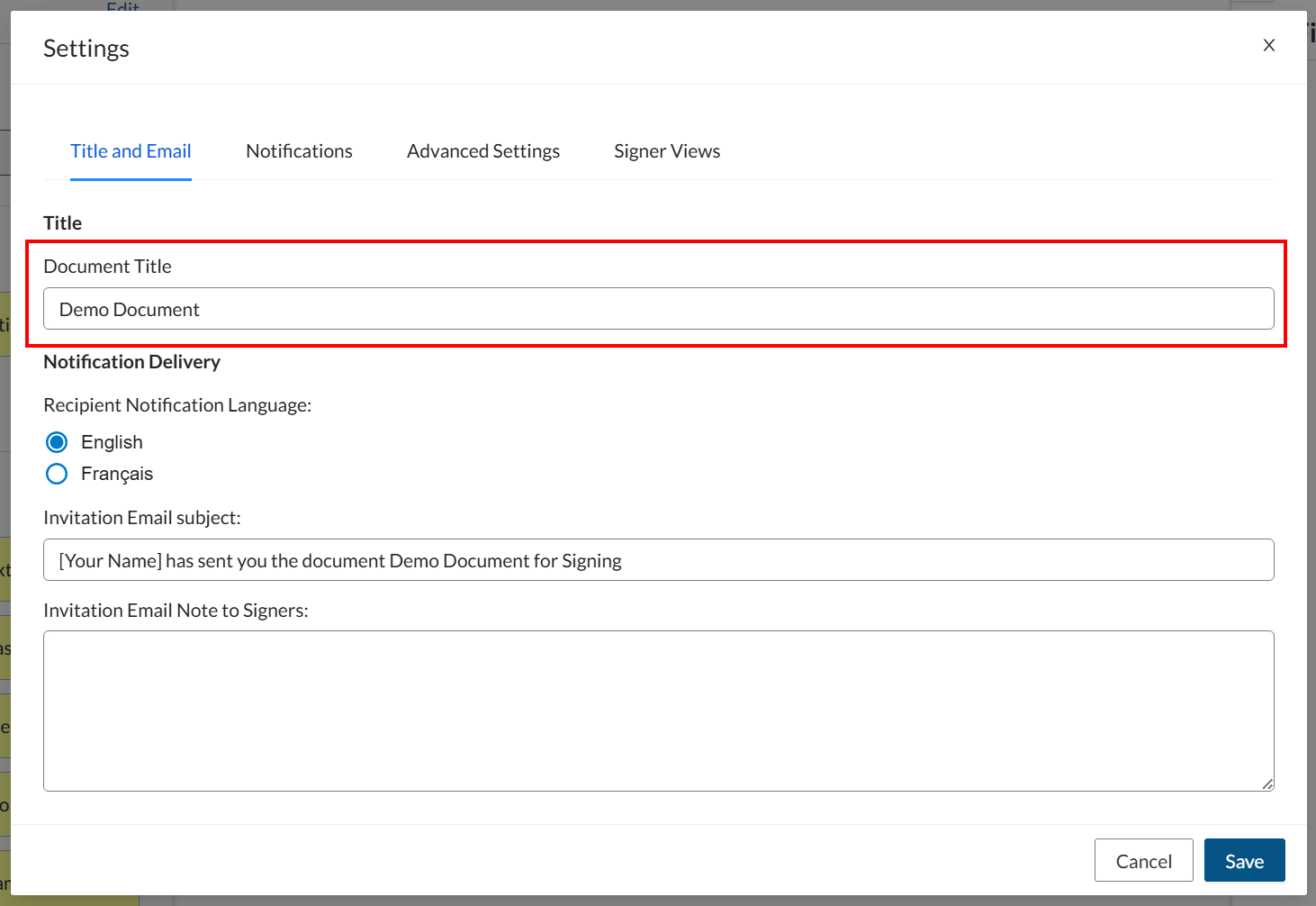
Note: Changing the documents title will also automatically update the email subject under Message. Learn more about customizing the invitation email subject and message here.
-
Click Save in the bottom right of the window.
Rename a Document on the Documents Page
-
From the Dashboard, select Document on the left navigation menu.
-
Locate the file you would like to rename by either searching for the title, or a recipients name/email.
-
Select the three dots on the right