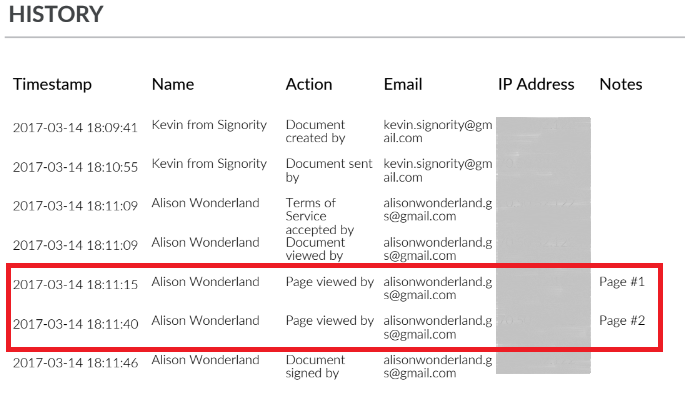
Many contracts require signers to confirm they've read every page — not just sign at the end. Traditionally this is handled by initialing each page, but Signority's Page View Evidence feature streamlines this process digitally. When enabled, a checkbox appears at the bottom of every page, which signers must check before they can proceed. Each interaction is then recorded in the document's audit trail, creating a verifiable record and reducing the risk of disputes over whether terms were reviewed.
Enable Page View Evidence
From the Recipients Page
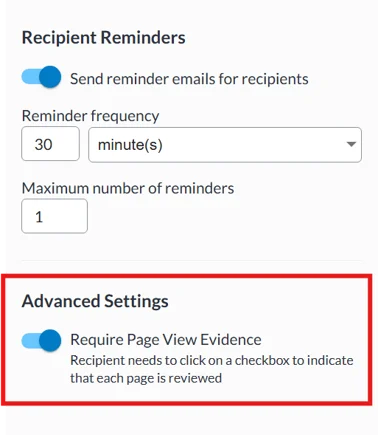
When you are creating a new document, you can enable Page View Evidence from the recipients page in the Document Designer Workflow:
-
On the right panel of the Recipients page, under Advanced Settings, enable Require Page View Evidence.
From the Document Settings in the Editor
-
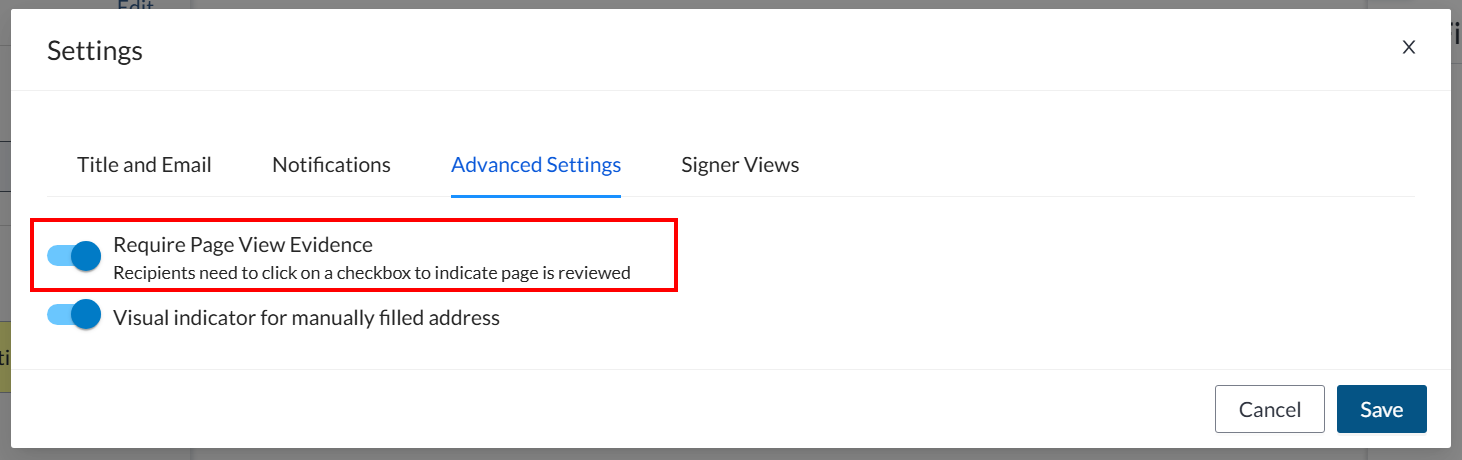
On the left panel click Edit next to the Settings section.
-
Navigate to the Advanced Settings tab.
-
Enable Require Page View Evidence .
Capturing Page View Evidence Information (Signers Experience)
For the signers, page view evidence is very simple. The process is almost the same as signing a online document without page view evidence. The only difference is that while signing, recipients will be prompted to complete a checkmark with the text "I have read the current page".
Note: Once the signer has checked the box that they have read that page, it won't be accessible to them anymore.

This checkbox field will appear on the bottom right of every page in the document package for all recipients.
Other than that, recipients can continue to go through the document, fill any other tags required and Submit when finished.
How it is Captured in The Document History Audit Trail
Once a signer checks that they have read the current page, you can review the Page View Evidence in two places:
-
Document History — shows in real time which pages each signer has read and when.
-
Audit Trail — included in the finalized document as a permanent, verifiable record.