

Signer view settings allow you to control how your recipients view and sign their documents by concealing specific features.
Are you an admin looking to adjust the default or enforce signer view settings across your team? See Configure Signer Options (Admin Settings).
How to Set up Signer View Settings
-
To edit Signer views settings, look for the Settings button on the top left hand side of the Signority document editor.
-
In the Settings pop-up window, click on the Signer Views tab.
-
Adjust the Signer views as necessary.
-
Click Save.
Note: Signer views settings can not be modified after the document has been sent.
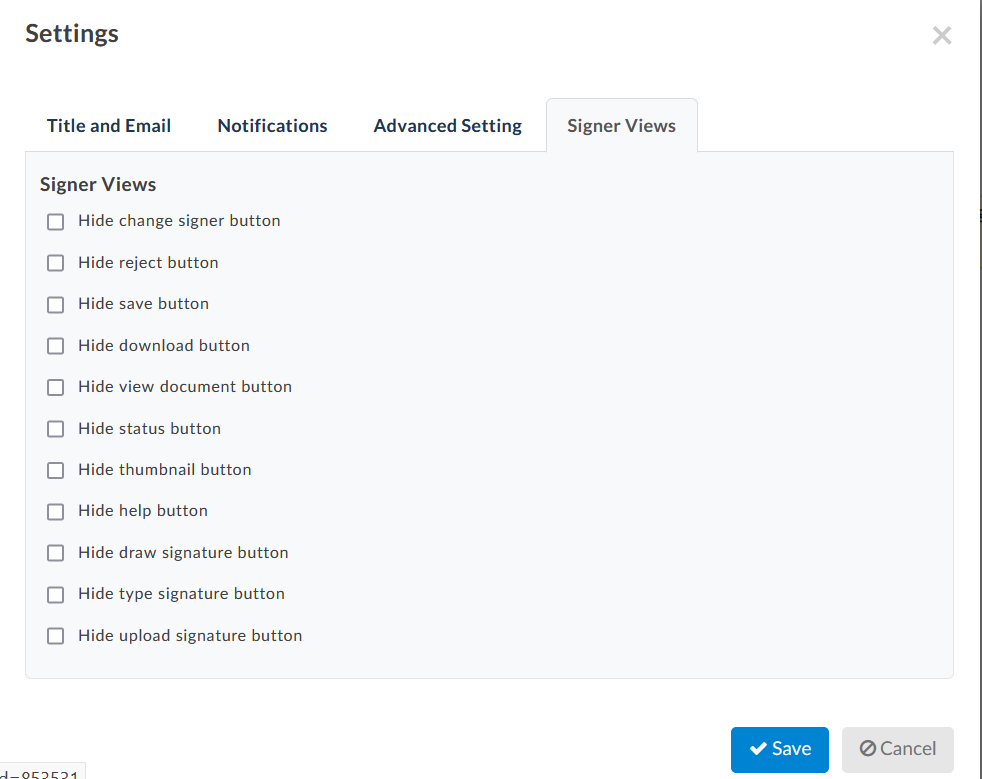
Signer Views Options
Visibility Options
You can control what recipients see and do during the signing process using the following settings:
-
Hide change signer
Prevents recipients from reassigning the document. The recipient must sign the document themselves. -
Hide reject button
Disables the option for recipients to reject the document. -
Hide save button
Prevents recipients from having the option to save their progress. The document must be completed in one session. -
Hide download button
Disables the option for users to download the document both when signing and after it’s been finalized. -
Hide view document button
Prevents recipients from viewing the document after it has been finalized. -
Hide status button
Removes “View Status” option from the header so that recipients are unable to view the document's ID, GUID, name, Creation date, Expiry date, Recipient list, or history. Recipients also cannot see whether other participants have signed. -
Hide thumbnail button
Removes the page thumbnails that summarize the document and files. -
Hide help button
Removes the help button from the bottom-right corner of the screen.
Signing Method Options
If you need signatures in a specific format, you can restrict available methods:
-
Hide draw signature button – Disables drawing a signature
-
Hide type signature button – Disables typing a signature
-
Hide upload signature button – Disables uploading a signature