When email or SMS authentication is enabled, Signority sends a one-time PIN to the recipient when they attempt to access your document. This additional verification step strengthens the electronic signature process by helping confirm the signer’s identity.
Authentication Types
There are three main forms of authentication you can enable for recipients:
-
Email Authentication
-
Sends a PIN via email.
-
Optionally, check “Send PIN in a separate email” to send the code to a different email address owned by the recipient.
-
Available for Signers, Viewers, Conditional Signers, Signing Host and Witness recipient types.
-
-
SMS Authentication
-
Sends a PIN via text message.
-
Requires the recipient’s mobile phone number.
-
Available for Signers, Viewers, Conditional Signers, Signing Host and Witness recipient types.
-
-
ID Authentication
-
Available for witness & in-person signers only.
-
Setting up Multi-factor Signature Authentication
You set up recipient authentication when you add recipients to a document.
-
Start by creating a document as usual, adding documents, recipients, and messages.
-
On the Recipients page (when creating a new document) or from the Recipient panel in the Editor, click the lock icon to the right of the recipients card who you wish to set up signature authentication for.
-
Email authentication will automatically be enable. If you wish to add SMSthe verification type(s) you'd like for the recipient:
Important: Ensure the number is correct—otherwise, the signer will not be able to access the document.
-
Complete the document preparation by adding Tags to your document.
-
When you're finished, use the Send button on the top right to send the document off for signature.
Authentication Process for Signers
-
The recipient opens the invitation email and clicks Review Document.
-
After accepting the Terms of Use, they will be asked to send the verification code to the chosen authentication method.
-
The signer must enter the required PIN to proceed.
Note: If more than one authentication method is enabled they will be repeat steps 2-3 until all authentication methods have been completed.
-
After authentication, the process to sign documents online will be the same as usual.
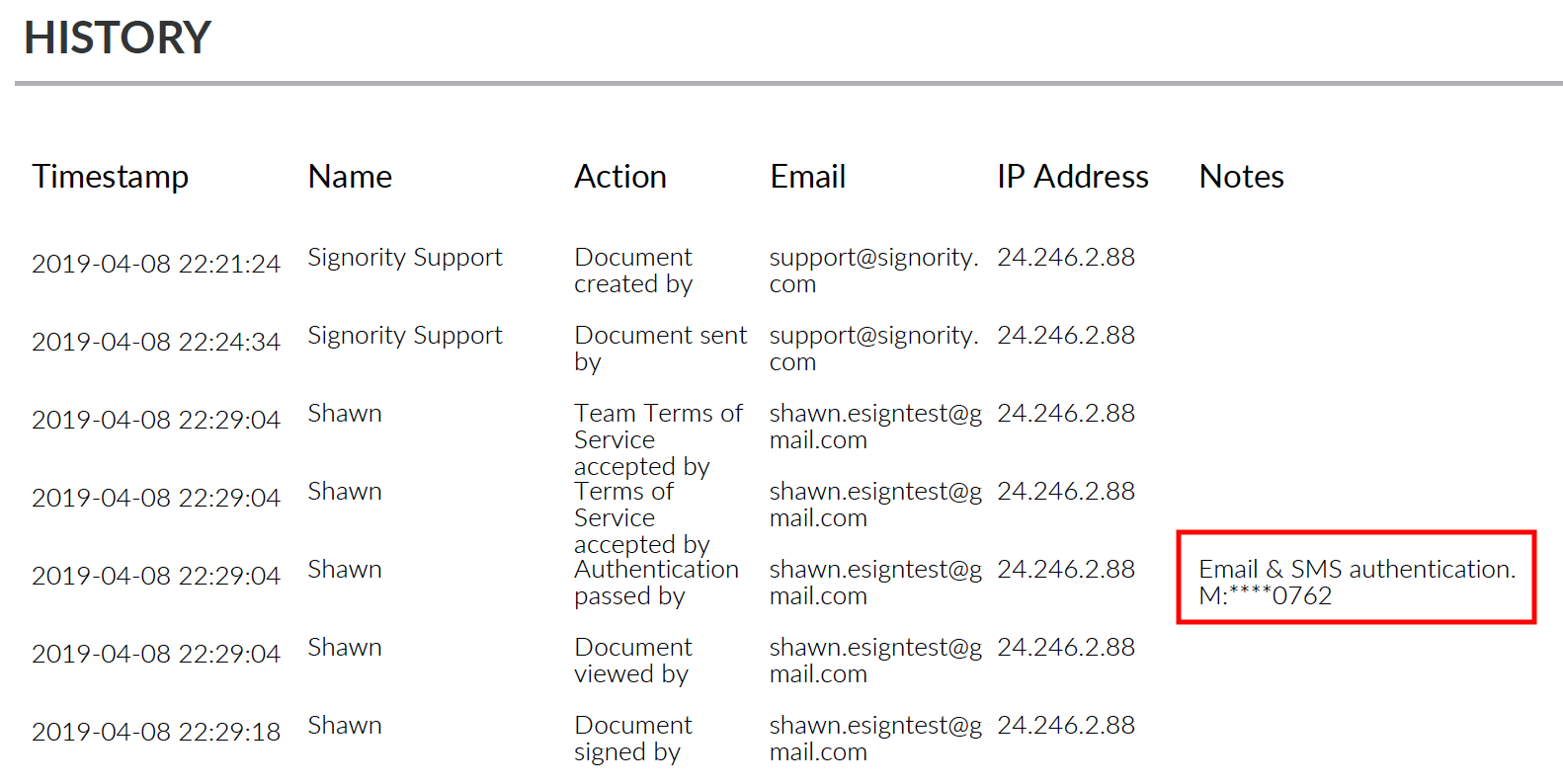
Document Audit Trail
Authentication methods are captured in the document audit trail. Only the last 4 digits of the phone number is shown for privacy reason.