

If you want someone to view a document without signing it—either on its own or alongside other signers—you can add them as a Viewer.
How to Add a View Only Recipient
No matter what the use case is, setting up a document to send for viewing is the same and is very similar to sending a document for signing. The only key difference is that any recipient you only want to view the document is set to the Viewer recipient type.
-
Create and upload your document as you normally would.
-
On the recipients page if you are working from a new document or recipients pop-up if you are already on the document editor, click Add Recipient.
-
On the new recipients' panel, change their role from Signer to Viewer using the recipient type dropdown.
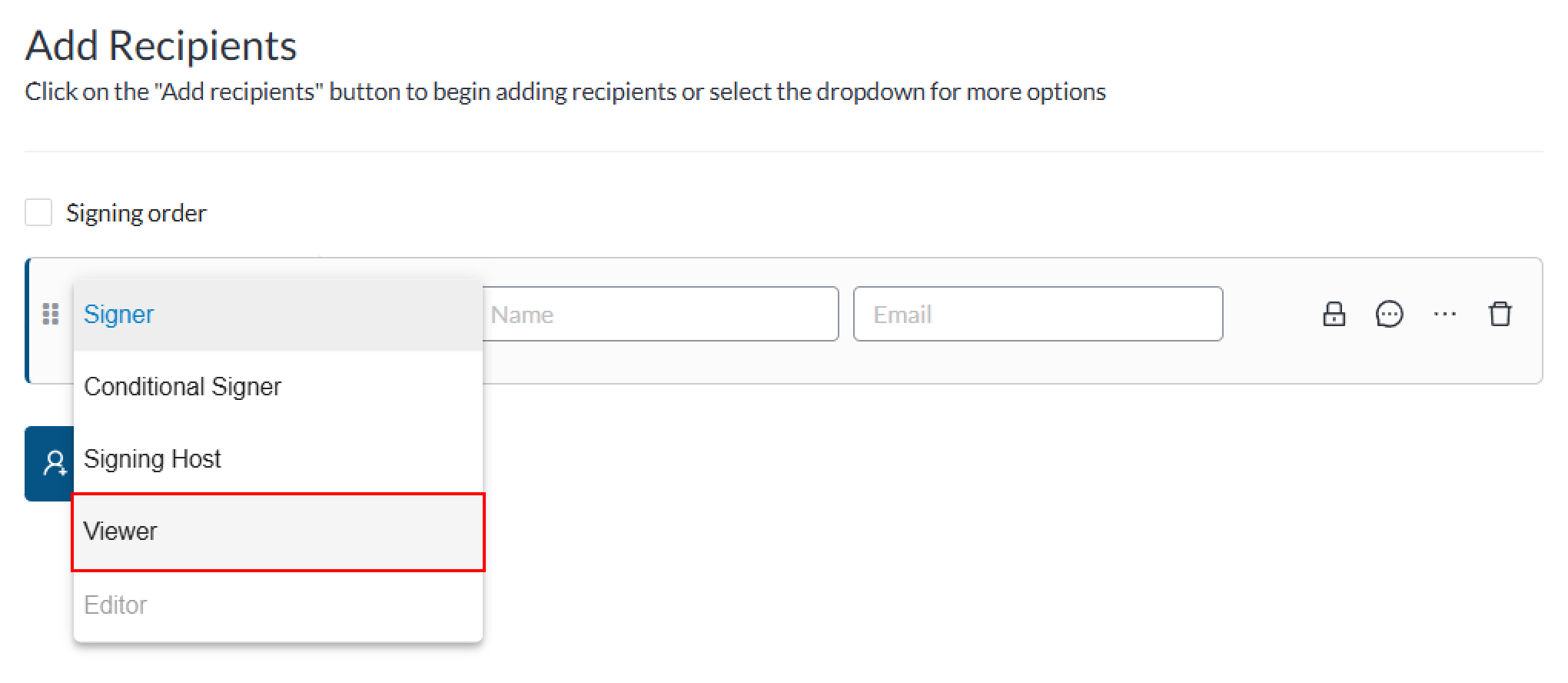
-
Enter their name and email address.
-
(Optional) For each viewer, you can also add options to enable email and/or SMS authentication in order to ensure the security of the document. You can also add a private message to a specific viewer recipient.